
Category Sort
Lion Studios PlusPuzzle
4.8438.00 Reviews
- Version
- 1.1.1
- Installs
- 1.00M
- Age Rating
- Everyone
Screenshots
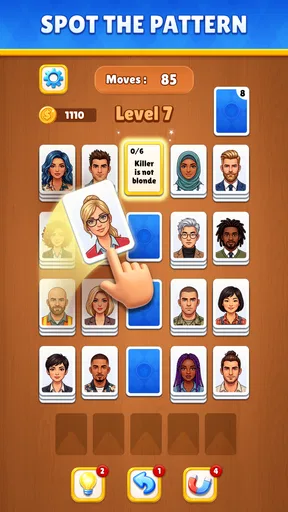
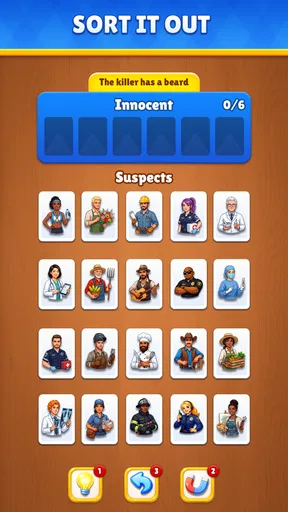
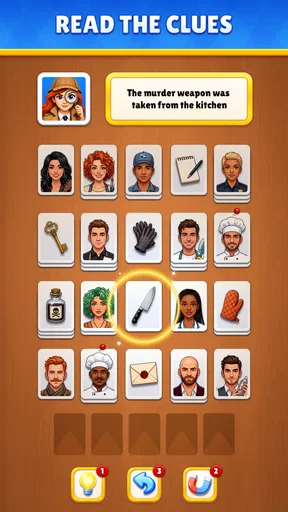
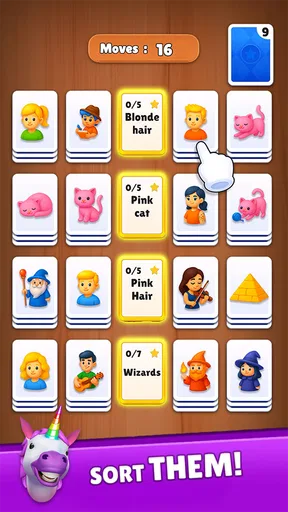
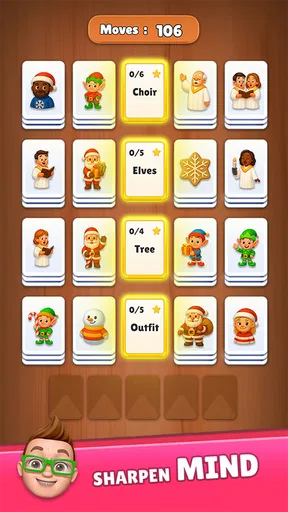
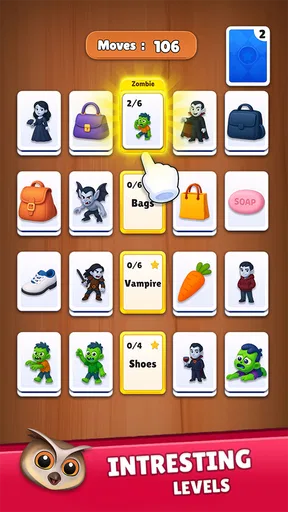
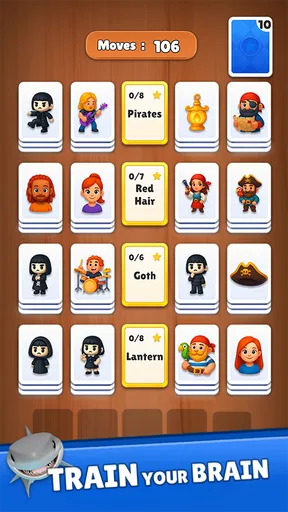
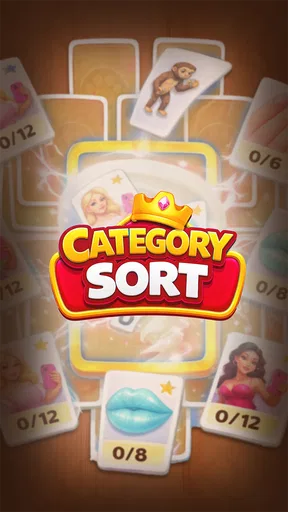
Our Review of Category Sort
 Analysis by Appyee
I approached Category Sort expecting a light puzzle I could open for a few minutes, and that is exactly where it works best. It is a free Android game from Lion Studios Plus, built around sorting items into categories while keeping the experience calm and approachable. The store summary presents it as a relaxing Solitaire game with Emoji, while the short description reduces the idea to “Category Sort.” In practice, that combination gives the game a simple identity: it is less about intense competition and more about making tidy, quick decisions with familiar visual symbols.
That distinction matters when deciding whether to install it. I would not choose this as a replacement for a deep logic game, a traditional card app, or a long-form strategy title. I would choose it when I want a low-pressure puzzle that can fit between errands, during a quiet break, or at the end of the day. The best way to understand it is as a casual sorting game with a relaxing presentation, rather than as a demanding brain-training tool.
What to consider before choosing Category Sort
The first decision is how much complexity you actually want. Category Sort is designed around recognition and organization. You look at the available emoji-style items, identify what belongs together, and sort them accordingly. That makes the opening experience easy to understand, even for someone who rarely plays mobile games. There is no need to learn a large ruleset before beginning, which is one reason I could pick it up without preparation.
The second decision is whether you prefer visual familiarity over abstract challenge. Emoji make the objects immediately readable, so the game does not ask me to memorize complicated symbols or interpret a dense interface. That is helpful when I am tired or playing on a smaller screen. The trade-off is that players who enjoy intricate deduction, multi-step planning, or increasingly elaborate mechanics may find the central idea too narrow.
I also pay attention to how a game fits into a real daily routine. A good casual puzzle should be easy to pause mentally, simple to resume, and satisfying even when I only have a short window. Category Sort suits that pattern better than games that require a long uninterrupted session. I can approach a round with a clear goal, make a series of sorting choices, and stop without feeling that I have abandoned a complicated campaign.
Its audience is broad as well. The content rating is Everyone, and the visual language is friendly rather than intimidating. I would consider it suitable for a family tablet or for someone looking for a gentle first puzzle game. That does not mean every player will enjoy it equally. A person seeking competition, social interaction, or a strong sense of progression should examine other types of games before settling here.
There is also a practical platform consideration. The game requires Android 7.1 or later, so it remains accessible on many older Android devices. The current version is 1.1.1. For someone using an older phone, that lower system requirement can be more important than advanced graphics. I would still check that the device runs the game comfortably, but the requirement itself does not make Category Sort feel limited to recent hardware.
The sorting loop is simple, but not empty
What I like about the core loop is that it creates a small moment of order. Instead of asking me to react quickly, it encourages me to inspect the screen and decide which items share a category. That makes the game feel closer to visual tidying than to an action puzzle. The emoji presentation helps because the objects communicate their identity at a glance, letting me focus on grouping rather than deciphering the artwork.
A useful way to play is to scan the entire board before making the first move. My instinct in sorting games is to grab the most obvious item immediately, but a full scan can reveal a better sequence. I look for groups with several clearly related items, then consider whether moving one piece will make another category easier to recognize. This habit reduces random choices and turns a very simple game into a modest exercise in planning.
Another practical technique is to separate certainty from assumption. Some emoji have an obvious relationship, while others may fit more than one broad idea in my mind. When that happens, I avoid committing too early and first handle the groups with the clearest identity. This is a small distinction, but it makes the game feel more deliberate and prevents the board from becoming confusing simply because I acted on the first association that came to mind.
The game’s relaxing character is strongest when I treat it as a short mental reset. I would not rush through the sorting process just to finish. Instead, I use the visual arrangement as a prompt to slow down and notice patterns. That is where the Solitaire comparison makes sense to me: the appeal comes from a familiar, repeatable activity that can occupy the hands and attention without demanding a dramatic narrative or complicated controls.
Where it wins against common puzzle alternatives
Compared with traditional Solitaire, Category Sort offers a more visual and less card-focused experience. Someone who likes the quiet rhythm of Solitaire but does not want to think about suits, ranks, or card layouts may find the emoji categories more immediately inviting. The benefit is accessibility. I can understand the visual problem without already knowing a classic card format.
Compared with word puzzles, it removes spelling and vocabulary from the equation. That makes it a better fit for players who want a language-light activity or who simply prefer pictures to letters. It also changes the type of concentration involved: instead of searching for definitions or constructing words, I am comparing visual meanings and deciding which items belong together.
Compared with match-three games, the attraction is less about rapid combinations and more about classification. I do not approach each moment with the same reflexive rhythm. The sorting task gives me a reason to pause and evaluate. For me, that makes Category Sort more comfortable during a quiet break, while match-three games are often better when I want brighter feedback and a faster pace.
It also has an advantage over many larger puzzle games because its premise is immediately visible. There is no elaborate story to follow before the activity becomes enjoyable, and there is no need to master several systems at once. That simplicity is a genuine strength for casual players, older family members, or anyone who wants a game that explains itself through its visual arrangement.
The limitation is equally clear. A narrow central mechanic can become familiar quickly. Players who enjoy discovering new rules, combining abilities, or solving layered puzzles may prefer a more varied alternative. Category Sort wins on ease and calm, not on depth or breadth. I would recommend it to someone who values a clean, focused activity, not to someone who measures a puzzle game by how many systems it contains.
When another type of game may fit better
I would steer a competitive player elsewhere. Category Sort is not the choice I would make for leaderboards, head-to-head pressure, or a strong social layer. If your ideal mobile session involves testing yourself against other people or chasing demanding scores, a competitive puzzle title will probably provide more lasting motivation.
I would also suggest a different option to players who want a clear long-term journey. Category Sort’s appeal is in the individual sorting task, so it is better suited to repeatable casual play than to a campaign with characters, exploration, or a carefully developed story. If you need a game to pull you through a sequence of major events, this may feel too contained.
Traditional Solitaire remains the better choice for someone who specifically enjoys card strategy and the familiar logic of arranging a deck. Word games are more suitable when the pleasure comes from language, spelling, or expanding vocabulary. Match-three games may be preferable if you want immediate action and strong visual bursts. These are not failures of Category Sort; they are different reasons to play.
The same applies to people who dislike emoji-based presentation. The symbols are central to the game’s readability and personality, so anyone who prefers realistic art or a minimalist abstract interface may not connect with it. I would not install it hoping that the emoji are merely decoration. They shape how the puzzle communicates its categories and how quickly the player can read the board.
One less obvious trade-off is attention quality. Because the activity is gentle, it can be easy to play while distracted, but distraction may also weaken the satisfaction of solving each arrangement. I get more from it when I give the board a little attention instead of treating it as background noise. If you want a game that fully absorbs you for an extended period, a more demanding puzzle will likely be a better investment of your time.
Free access and the cost of changing your habits
Category Sort is free to install, which makes trying it straightforward. That matters for a casual game because the main question is not whether I can justify a large purchase; it is whether the sorting loop fits my taste. I can test that quickly by playing in the kind of situation where I expect to use it, such as a short wait or a quiet evening pause.
There are in-app purchases ranging from $1.99 to $99.99 per item. I treat that range as a reason to decide my spending boundary before making any purchase. The free entry point is useful, but the presence of optional purchases means I would not hand the phone to a child without first considering the device’s purchase controls. For my own use, I would begin with the free experience and only spend if a specific paid element clearly improves the way I play.
The real switching cost is not financial; it is expectation. If I move from a rich puzzle game to Category Sort, I give up some depth in exchange for speed and calm. If I move from a basic Solitaire app to Category Sort, I trade card familiarity for emoji-based categorization. Knowing which exchange I am making prevents disappointment. The game is easiest to appreciate when I want its exact kind of simplicity.
With over a million installs, it has already reached a substantial casual audience, and its average rating is 4.8 from about fifteen thousand ratings. Those figures suggest that the straightforward format connects with many players, although popularity cannot tell me whether the game matches my personal preferences. I use that reception as a sign that the basic idea is approachable, not as proof that it will satisfy someone looking for advanced puzzle design.
The developer, Lion Studios Plus, has positioned the game in a familiar mobile-puzzle space rather than presenting it as a specialist logic title. That helps set the right expectations. I would download it for a relaxed sorting session, not because I expect a complex strategy system hidden behind the first screen.
Everyday situations where it makes sense
Imagine waiting for an appointment with only a few quiet minutes available. I would rather open Category Sort than begin a game that needs a long setup or risks leaving me in the middle of an important sequence. The visual categories give me an immediate task, and the game’s gentle pace makes it easier to stop when my name is called.
It can also work after work when I want a transition between a busy day and sleep. I find that a sorting task can occupy just enough attention to prevent me from endlessly checking other apps, without demanding the alertness of a competitive game. The key is to use it intentionally: play a small amount, enjoy the act of organizing, and close it when it stops feeling restorative.
For families, I can see a different use. An adult and child could discuss why certain emoji belong together, turning the puzzle into a simple conversation about categories and relationships. I would not present it as a formal educational tool, because its main purpose is entertainment, but its visual structure makes it approachable for shared play and casual observation.
One advanced habit I found useful is to treat mistakes as information rather than failure. If a category feels uncertain, I pause and ask what visual clue led me there. This makes the game more interesting than blindly correcting a move. It also helps reveal whether I am responding to the object itself or to a broad association that may not fit the intended grouping.
Another tip is to play in different attention states. A quick session tests whether the interface is readable when I am distracted, while a slower session shows whether the sorting remains satisfying when I give it full focus. If it only works in one of those situations, that tells me whether it belongs in my regular rotation or only as an occasional filler game.
My recommendation for different kinds of players
I recommend Category Sort to anyone who wants a free, friendly puzzle with a low entry barrier and a visual sorting focus. It is especially suitable if you like emoji, prefer calm decisions to fast reactions, and often play in short sessions. The Everyone rating and modest Android requirement also make it a practical option for a wide range of devices and players.
I would be more cautious if you need deep progression, competitive pressure, card strategy, or constant novelty. In those cases, traditional Solitaire, word puzzles, match-three games, or more advanced logic titles may serve you better, depending on what kind of challenge you enjoy. Switching to one of those alternatives is worthwhile when the central sorting loop no longer gives you enough variety.
My advice is to judge it by the first few sessions, not by the promise of becoming a long-term main game. Notice whether the categories make you curious, whether the emoji are easy to read on your screen, and whether the relaxed pace feels pleasant rather than slow. Keep spending optional until you know that the free experience genuinely fits your routine.
Overall, I see Category Sort as a focused casual puzzle that understands its strongest quality: it makes organization feel playable. It does not need to be the deepest game on the phone to be useful. When I want a short, visually clear break, I would choose it over a more demanding alternative. When I want mastery, competition, or a substantial adventure, I would open something else. That is a clear and honest place for Category Sort in my game library, and for the right player, its simplicity is exactly the point.
Verdict
Strengths of Category Sort
- Quickly organizes apps and files into clear categories.
- Simple interface makes sorting easy for new users.
- Reduces time spent searching through a crowded device.
- Useful filters help locate specific content faster.
- Lightweight design should work smoothly on most devices.
Limitations of Category Sort
- Some categories may be inaccurate and require manual correction.
- Advanced sorting options can feel limited for power users.
- The app may need storage access to analyze device content.
- Interface may become less convenient with large content libraries.
- Certain features could depend on the device or Android version.
Other Releases by Lion Studios Plus
View All
Match 3D -Matching Puzzle Game
Puzzle4.5

Hexa Sort
Puzzle4.5

Wordle!
Word4.5

Point Out: Color Escape Puzzle
Puzzle4.6
Similar Picks in This Category
View All
Block Blast!
HungryStudio4.8

Braindom: Brain Games Test
Lahana Game Studio4.6

AMAZE!
CrazyLabs LTD4.6

Sudoku - Classic Sudoku Puzzle
Oakever Games4.7

Art Puzzle - Puzzle Games
Easybrain4.8

Amaze GO!
Oakever Games4.9
Frequently Asked Questions
What is Category Sort?
Category Sort is a puzzle game focused on organizing mixed objects into their correct groups. Each level presents items that must be identified and arranged according to a shared category, such as food, animals, tools, or everyday objects. The gameplay is simple to understand, but later stages can require careful observation, quick thinking, and a good memory for the available categories.
How do you play Category Sort?
To play Category Sort, examine the objects displayed on the screen and place each one into the category where it belongs. Depending on the level design, this may involve tapping, dragging, or sorting items into matching areas. The main challenge is recognizing relationships between objects while avoiding incorrect placements. As you progress, levels may become more crowded or introduce less obvious category combinations.
Is Category Sort free to download and play?
Category Sort can generally be downloaded for free, allowing players to try the basic gameplay without an upfront purchase. However, the game may include advertisements, optional in-app purchases, or paid features such as removing ads, unlocking content, or receiving helpful bonuses. Availability and pricing can vary by device, region, and version, so check the store listing before downloading.
Does Category Sort work offline?
Many of the sorting puzzles in Category Sort may be playable without a constant internet connection, which makes the game convenient for travel or short breaks. Nevertheless, an internet connection may still be required for advertisements, updates, cloud features, purchases, or certain online content. It is best to launch the game once while connected and verify which features remain available offline on your device.
Is Category Sort suitable for children?
Category Sort is generally easy to learn and may be suitable for children who enjoy simple logic and organization games. It can encourage observation, recognition, and basic problem-solving skills, although the recommended age may differ depending on the advertising and purchase options included. Parents should review the store rating, privacy information, and in-app purchase settings before allowing younger children to play independently.
Play our best games!


